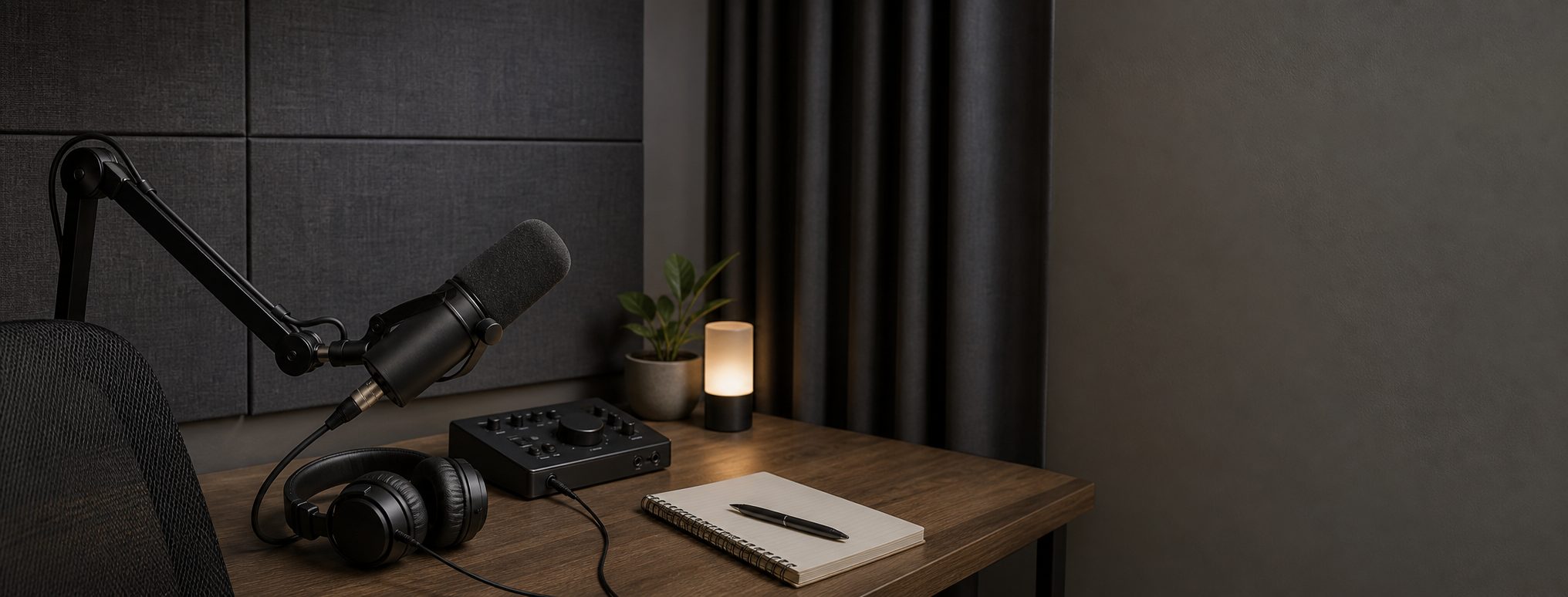
Solo Podcast Setup: Audio-First Gear and Workflow
An audio-first solo podcast setup for USB and XLR mics, headphones, local recording, remote guests, and basic room control.
As an Amazon Associate I earn from qualifying purchases. Recommendations are editorial, and we do not claim hands-on testing unless a product is explicitly marked tested.
Shure MV7+
For most solo hosts, close dynamic-mic technique beats buying a famous broadcast mic too early.
Clean Solo Voice
Solo shows, narration, and remote guest calls.
Approx. $250 to $500
Serious KitPodcast Desk Rig
Weekly shows, remote interviews, and higher-stakes voice work.
Approx. $700 to $1,400
Pro KitRemote Interview Rig
Podcast hosts who record solo episodes, remote interviews, and occasional field segments.
Approx. $1,500 to $3,500+
Audio comes first
A podcast succeeds or fails on voice clarity. A camera can wait. A treated room can wait. A microphone used too far away will still sound weak even if it is expensive.
The distance rule
Most podcast audio problems are really distance problems. Get the mic close, point it correctly, keep the room quiet, and wear headphones while checking levels.
Local guest tracks and long interviews create files you should not leave scattered on a laptop desktop. Use the creator storage and backup setup if the show has remote recordings, paid sponsors, or anything you would hate to re-record.
USB vs XLR podcast microphone setup
USB is the right start for most solo hosts. XLR becomes useful when you need a mixer, cleaner physical gain control, multiple microphones, or hardware routing.
Podcast audio check before every recording
Pre-roll audio check
Do this before the guest joins or before you burn a good monologue on bad levels.
- Put the mic close, usually a fist or two from your mouth, and speak across it rather than straight into blasts of air.
- Wear closed-back headphones while setting levels.
- Check input gain with your real recording voice, not a whisper-test voice.
- Listen for room noise: fans, HVAC, keyboard clacks, street noise, and desk vibration.
- Enable local recording when the app supports it. For remote guests, know where the backup file lands.
- Decide USB or XLR based on the job. USB is fine for simple solo work. XLR or a mixer helps when routing and monitoring get complicated.
- Record a short test and listen back before the real take.
Video can wait until the audio chain is boringly reliable. A podcast with clean voice and no camera beats a video podcast with thin audio every time.
Optional video-podcast upgrade
Add a camera and light only after the audio chain is boringly reliable. For a solo audio podcast, video gear is optional distribution overhead, not the core kit.
If you do add video, borrow the lighting discipline from the small office lighting setup instead of turning the podcast desk into a camera project.
Know when the solo chain stops scaling
A single USB microphone is appropriate while one person records one local track. Move to the two-person podcast setup when a second microphone and two headphone feeds must remain editable. Use the remote interview workflow when the second voice is elsewhere. Those are routing changes, not reasons to replace a microphone that already captures the host cleanly.
Clean Solo Voice
Approx. $250 to $500
Use a USB microphone close to your mouth, add headphones, and record in the quietest part of the room.
Rode NT-USB+
- Role
- USB microphone
- Best for
- Simple solo recording
A USB mic keeps the setup approachable and avoids an interface until you know you need one.
Elgato Wave Mic Arm LP
- Role
- Mic positioning
- Best for
- Desk setups
The arm matters because microphone distance matters. Get the mic close and stable.
Closed-back studio headphones
- Role
- Monitoring
- Best for
- Editing and guests
Closed-back headphones reduce bleed and make it easier to catch hum, clipping, and room noise.
Podcast Desk Rig
Approx. $700 to $1,400
Move to a dynamic mic and cleaner routing, but keep the workflow understandable.
Shure MV7+
- Role
- Dynamic microphone
- Connections
- USB and XLR
The USB plus XLR path lets you start simple and upgrade routing later.
Rodecaster Duo
- Role
- Audio interface and mixer
- Best for
- Host control
A podcast console is useful when you need hardware gain, mix-minus style routing, pads, and reliable local control.
Elgato Wave Mic Arm LP
- Role
- Mic arm
- Best for
- On-camera podcast desks
A low-profile arm keeps the mic usable without blocking your face on video podcasts.
Carryover pick: this remains the right choice at this tier, so the upgrade budget is better spent on the surrounding setup.
Remote Interview Rig
Approx. $1,500 to $3,500+
Keep the show audio-first: clean mic technique, local control, backup capture, headphones, and guest routing before any camera upgrade.
Shure MV7+
- Role
- Main microphone
- Best for
- Voice isolation
A close dynamic mic gives a strong podcast tone without requiring a perfect room.
House pick: the dynamic mic repeats because the podcast page is about voice isolation and upgrade path, not camera polish.
Rodecaster Duo
- Role
- Podcast control
- Best for
- Routing and local control
A dedicated podcast console is useful when your show needs mix control, backup-friendly routing, and fewer software panels open during recording.
Carryover pick: this repeats within the page because routing and monitoring become more important as the show adds guests.
Rode Wireless Pro
- Role
- Remote or mobile audio
- Best for
- Interviews away from the desk
A wireless kit is optional, but it gives you a cleaner path for field interviews, backup recordings, and two-person audio outside the main desk rig.
Frequently Asked Questions
Should I buy an SM7B?
Do I need an audio interface?
Should I record locally or through a remote interview app?
Do I need acoustic treatment before upgrading my mic?
Why do closed-back headphones matter?
Is a podcast mixer worth it for a solo host?
Related Setup Guides
- Talking-Head YouTube Setup for Solo CreatorsA repeatable YouTube desk setup for solo creators: camera, microphone, lighting, capture, storage, and a weekly recording workflow.
- Video Course Recording Kit for Lessons and WebinarsA course recording setup for lessons, webinars, screen capture, scripts, camera, audio, lighting, controls, and storage.
How this guide was evaluated
Research-basedThis guide is editorial analysis based on primary documentation and workflow constraints. It does not claim firsthand product testing.
Products reviewed: Shure MV7+, Rode NT-USB+, Elgato Wave Mic Arm LP, Closed-back studio headphones, Rodecaster Duo, Rode Wireless Pro.
Primary sources and references
- Introduction to Home RecordingShure
- Understanding recording file formatsZoom Support
- SM58 User GuideShure
- MV7+ Podcast MicrophoneShure
- Rodecaster DuoRode
- Wireless PRORode
Update and correction history
- Rechecked microphone placement and multitrack workflow guidance and documented the research basis.
- Rechecked the current USB, USB-XLR, routing, monitoring, and optional field-audio products.
Spot an error or changed compatibility detail? Request a correction. See our methodology, editorial policy, and affiliate disclosure.