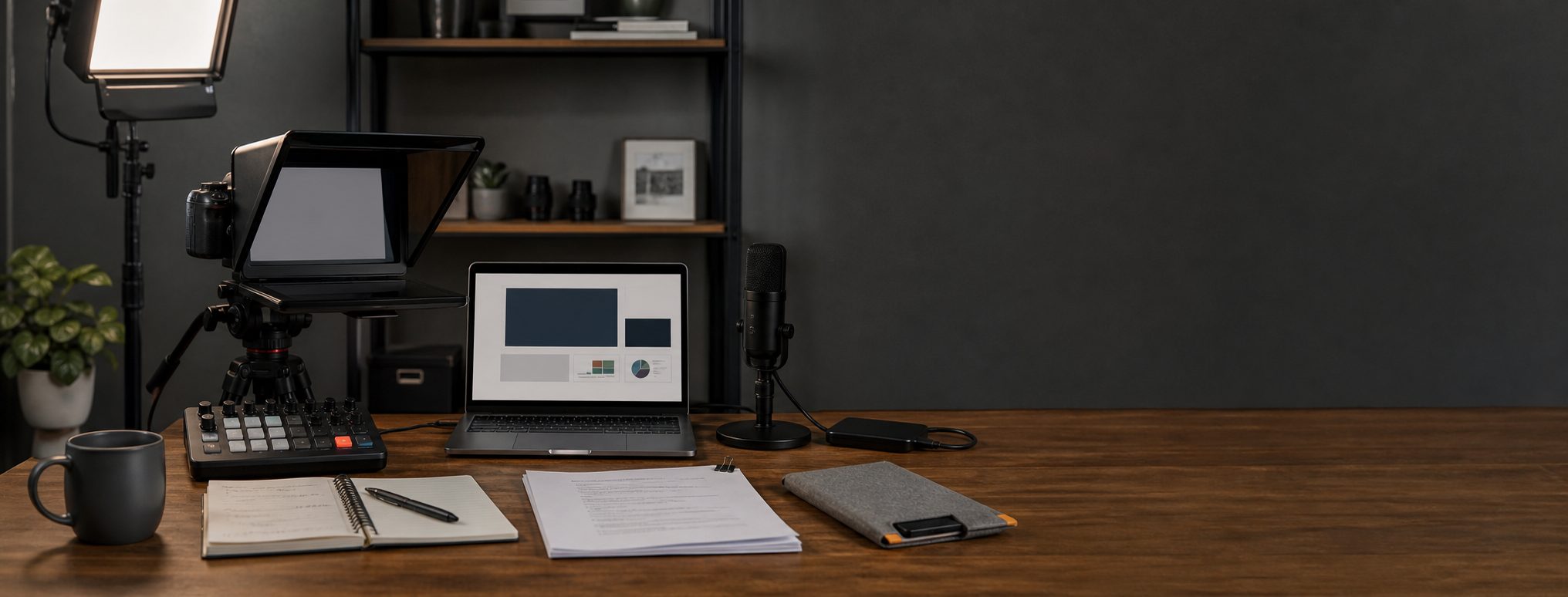
Video Course Recording Kit for Lessons and Webinars
A course recording setup for lessons, webinars, screen capture, scripts, camera, audio, lighting, controls, and storage.
As an Amazon Associate I earn from qualifying purchases. Recommendations are editorial, and we do not claim hands-on testing unless a product is explicitly marked tested.
Elgato Prompter
For courses, workflow and consistency often matter more than the fanciest camera.
Teach From Your Desk
Short lessons, internal training, and paid webinars.
Approx. $450 to $900
Serious KitRepeatable Course Desk
Paid courses, cohorts, and recurring webinars.
Approx. $1,200 to $2,500
Pro KitCourse Production System
Flagship courses, launches, and evergreen training libraries.
Approx. $3,000 to $6,000+
Courses punish inconsistency
A one-off video can survive a slightly different look. A course made of twenty lessons feels sloppy when every module has different framing, sound, light, and pacing.
The recording block mindset
Set up once, record several lessons, then tear down as little as possible. Your kit should help you enter a recording block quickly and stay there.
If your course is closer to weekly creator publishing, start with the talking-head YouTube setup. If you are recording paid lessons, build the creator storage and backup setup before the first long batch. The small office lighting setup covers the room-control side if your lessons look different every session.
Lesson recording block
Batch lesson workflow
Course production is less like posting a video and more like manufacturing consistent lessons. Before a block:
- Outline the lesson outcome, then write either a script or tight talking points.
- Open slides, demos, screen capture, browser tabs, and example files before rolling.
- Use a prompter only when it reduces retakes. If it makes delivery stiff, use bullets.
- Record in batches while the camera, light, chair, and mic are still in the same positions.
- Keep the same framing and audio path across a module so the course feels deliberate.
- Name files by module, lesson, and take:
module-02_lesson-04_take-01. - Separate camera footage, screen recordings, exports, and project files.
- Back up the block before resetting the desk or deleting cards.
The best course rig protects continuity. Viewers notice when lesson three looks and sounds like it came from a different week in a different room.
Do not forget storage
Course footage, screen recordings, exports, thumbnails, and project files multiply quickly. Storage and backup are part of the course kit, not a cleanup chore after launch.
Continuity is the acceptance test
Record one complete lesson, stop every app, restart the system, and reproduce the frame, light, microphone position, slide capture, and file destination. Use the teleprompter and eye-line guide only when it improves delivery across that cycle. A course rig is ready when lesson two can match lesson one without relying on memory or an improvised setup.
Teach From Your Desk
Approx. $450 to $900
Use simple USB gear, a soft light, and a repeatable screen recording workflow.
Logitech MX Brio
- Role
- Camera
- Best for
- Desk lessons
A webcam is enough for many course modules if your light, script, and audio are controlled.
Starter-only house pick: it stays here for simple course capture, not as the serious production answer.
Rode NT-USB+
- Role
- Voice
- Best for
- Narration
Course students need clean speech more than cinematic camera blur.
Carryover pick: this is the simplest narration path for first course modules before routing becomes a project.
Elgato Key Light
- Role
- Lighting
- Best for
- Desk teaching
A larger desk light helps lessons match across recording days without making every module depend on window light.
Repeatable Course Desk
Approx. $1,200 to $2,500
Add a better camera, teleprompter, capture, and control surface so setup does not interrupt teaching.
Sony ZV-E10 kit
- Role
- Camera
- Best for
- Course video
Use a mirrorless camera when it can stay mounted and powered for a whole course recording block. The original ZV-E10 is a value pick only when it materially undercuts the ZV-E10 II.
Carryover pick: the ZV-E10 belongs here only when course blocks justify a permanent camera position.
Elgato Prompter
- Role
- Script and eye line
- Best for
- Prepared lessons
A prompter lets you teach from notes without looking away from students.
House pick: this is the page where the Prompter is central, because course trust depends on script flow and eye line.
Elgato Stream Deck Plus
- Role
- Recording control
- Best for
- Scene and audio shortcuts
A control surface reduces mistakes when you are switching between camera, slides, screen capture, and mute states.
Course Production System
Approx. $3,000 to $6,000+
Treat recording like production: stable camera, stable light, reliable audio, fast storage, and redundant backups.
Sony ZV-E10 II kit
- Role
- Main camera
- Best for
- Longer-term course rig
Choose a newer camera body when course revenue justifies better autofocus, longer lifecycle, and a more polished picture.
Elgato Prompter
- Role
- Eye line
- Best for
- Scripted lessons
For course trust, clear eye contact and prepared pacing beat improvising into a lens.
Carryover pick: it repeats inside the course system because scripted lessons are the job, not because every page needs another Elgato box.
Crucial X10 Pro
- Role
- Working storage
- Best for
- Video project files
Course projects grow quickly. Fast working storage and backup discipline prevent production drag, but the X10 Pro still needs a separate backup target.
Workflow carryover: storage repeats because course assets multiply across lessons, screen recordings, exports, and revisions.
Useful Add-Ons
Elgato Cam Link 4K
- Role
- Camera capture
- Best for
- HDMI cameras
Use capture hardware when your chosen camera cannot provide the signal you need over USB.
Frequently Asked Questions
What should a course creator upgrade first?
Is a teleprompter worth it?
How is a course recording setup different from a YouTube setup?
Related Setup Guides
- Talking-Head YouTube Setup for Solo CreatorsA repeatable YouTube desk setup for solo creators: camera, microphone, lighting, capture, storage, and a weekly recording workflow.
- Creator Storage and Backup Setup for Video ProjectsA practical SSD, archive, NAS, and 3-2-1 backup workflow for video projects, course files, podcast recordings, and creator deliverables.
- Professional Video Call Setup for WorkA practical webcam, lighting, audio, and background setup for Zoom, Teams, client calls, and executive video meetings.
How this guide was evaluated
Research-basedThis guide is editorial analysis based on primary documentation and workflow constraints. It does not claim firsthand product testing.
Products reviewed: Elgato Prompter, Logitech MX Brio, Rode NT-USB+, Elgato Key Light, Sony ZV-E10, Elgato Stream Deck Plus, Sony ZV-E10 II, Crucial X10 Pro, Elgato Cam Link 4K.
Primary sources and references
- Cam Link 4K System RequirementsElgato
- Set the video format in Final Cut CameraApple Support
- Tips for presenting in large meetings and events in Microsoft TeamsMicrosoft Support
- Support for ZV-E10 IISony
- PrompterElgato
- Stream Deck PlusElgato
Update and correction history
- Rechecked capture and storage constraints and added explicit sourcing and research disclosure.
- Rechecked the current prompter, control surface, camera, capture, microphone, lighting, and working-storage lineup.
Spot an error or changed compatibility detail? Request a correction. See our methodology, editorial policy, and affiliate disclosure.