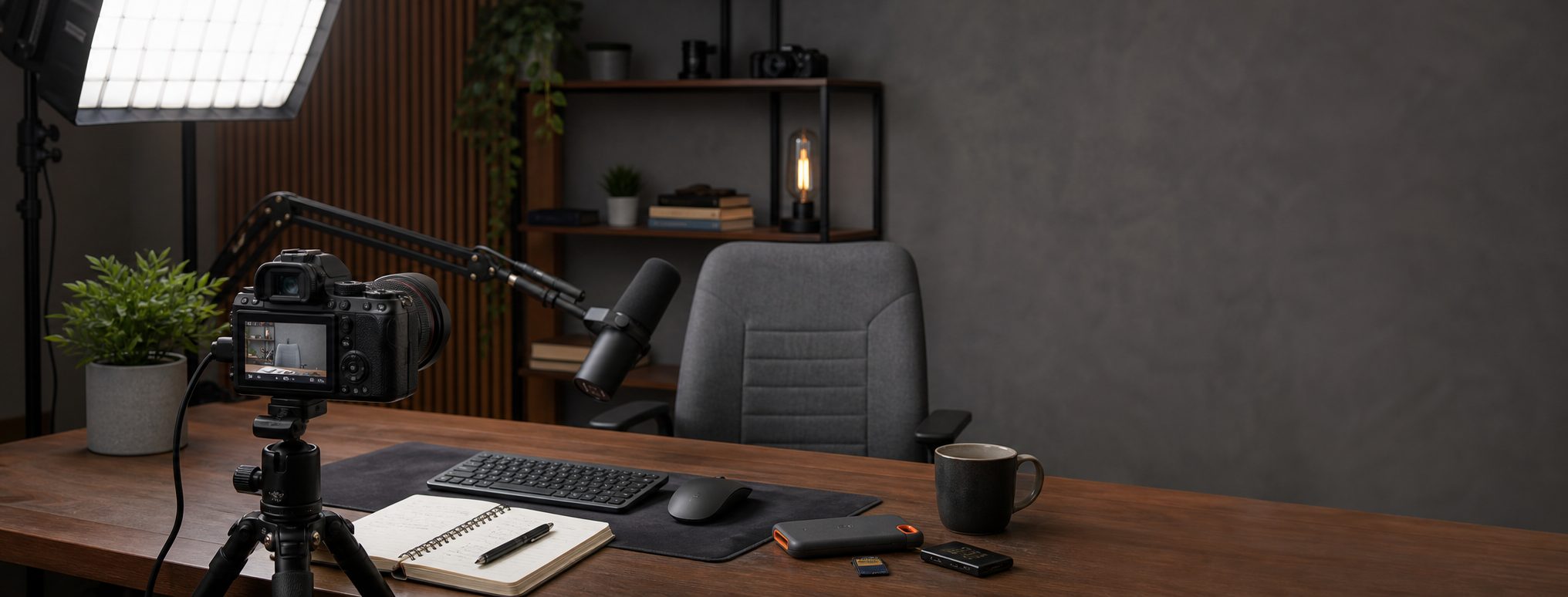
Talking-Head YouTube Setup for Solo Creators
A repeatable YouTube desk setup for solo creators: camera, microphone, lighting, capture, storage, and a weekly recording workflow.
As an Amazon Associate I earn from qualifying purchases. Recommendations are editorial, and we do not claim hands-on testing unless a product is explicitly marked tested.
Sony ZV-E10 kit
The best talking-head setup is the one you can turn on, frame, and record without rebuilding it.
Record Tonight
Creators publishing explainers, newsletters, lessons, or internal videos.
Approx. $350 to $700
Serious KitWeekly Creator Desk
Creators who record weekly and want a noticeable jump in control.
Approx. $1,000 to $1,800
Pro KitCourse And Channel Rig
Creators making monetized courses, sponsored videos, or regular channel programming.
Approx. $2,000 to $4,000+
Who this is for
This guide is for one-person publishing desks: educators, analysts, consultants, operators, newsletter writers, and creators who mostly speak to camera.
The priority is not maximum cinematic depth of field. The priority is repeatable production quality with low setup friction.
YouTube lighting and microphone setup
Start with sound and light. A viewer will forgive an ordinary camera angle faster than harsh ceiling light, echo, muffled speech, or a recording workflow that makes you inconsistent.
If the channel turns into scripted lessons, compare this with the video course recording kit. If files and exports are already piling up, set up the creator storage and backup workflow before the first lost project teaches the lesson for you.
Creator desk setup constraints
If your desk moves, your framing moves. If your light goes back in a closet, your video quality changes every session. The serious and pro tiers assume permanent mounts or at least repeatable positions marked on the desk.
For tighter rooms, the small office lighting setup covers one-light and window-side recipes without turning the desk into a set.
Weekly recording workflow
Publishing rhythm
A talking-head desk should make publishing less dramatic. Before each recording block:
- Open the script, bullet outline, or talking points before touching camera settings.
- Lock the framing first. Chair height, camera height, and background should match the last useful video.
- Check mic position, then record a ten-second test clip and listen back.
- Leave the main light mounted if possible. Rebuilding light is how weekly publishing becomes monthly publishing.
- Point the recording app at the right storage target before the real take.
- Use repeatable names:
topic-a-roll-take-01,topic-b-roll,topic-export. - Keep capture hardware and camera batteries boring. Nothing kills momentum like a dead rig after the outline is ready.
The starter webcam path exists to publish sooner and learn the room. It is not the final channel rig once the desk, audience, and production rhythm are real.
Upgrade only after a full-length rehearsal
Run the camera, microphone, light, capture path, and working drive for the duration of a normal episode. A chain that survives a preview can still fail through sleep, heat, storage pressure, or USB contention. Map high-bandwidth devices with the USB topology guide and calculate the media load with the recording storage guide before increasing resolution or codec data rate.
Record Tonight
Approx. $350 to $700
Keep the camera simple, fix the light, and use a microphone that tolerates ordinary rooms.
Logitech MX Brio
- Role
- USB camera
- Best for
- Fast recordings
A strong webcam is enough for early talking-head videos if the light and audio are under control.
Starter-only house pick: use the webcam to publish sooner, then move serious channel budget toward camera, audio position, light size, and storage.
Neewer LED panel kit
- Role
- Starter light
- Best for
- First desk recordings
A budget panel gets you away from ceiling light while you learn framing, exposure, and whether the channel will survive contact with editing.
Rode NT-USB+
- Role
- Voice mic
- Connection
- USB-C
A USB microphone keeps production friction low while improving clarity over a laptop mic.
Starter-only carryover: it is here for the fastest usable voice path, not as the serious creator mic.
Weekly Creator Desk
Approx. $1,000 to $1,800
Add a dedicated camera, better mic position, and a light that stays mounted.
Sony ZV-E10 kit
- Role
- Main camera
- Best for
- Desk video
A mirrorless camera starts to make sense when you can leave it mounted and powered between recordings. Choose the original ZV-E10 when it is clearly cheaper than the ZV-E10 II, not because it is the newest body.
House pick: this is where the ZV-E10 actually belongs as a central recommendation, because repeatable creator production benefits from a dedicated camera.
Shure MV7+
- Role
- Dynamic microphone
- Connections
- USB and XLR
A dynamic mic can help in ordinary rooms when you use it close and keep reflections under control.
Elgato Key Light
- Role
- Main soft light
- Mount
- Desk clamp
A larger panel gives more flattering light and is easier to repeat across recordings.
Course And Channel Rig
Approx. $2,000 to $4,000+
Invest in eye line, teleprompting, capture reliability, and storage. The camera is only one part of the workflow.
Sony ZV-E10 II kit
- Role
- Main camera
- Best for
- Higher-end desk video
Use a newer camera body when you need longer-term headroom, better autofocus, or a more polished studio look.
Elgato Prompter
- Role
- Script and eye line
- Best for
- Explainers
A teleprompter helps you keep energy, structure, and eye contact when recording dense material.
Carryover pick: it earns the repeat here for scripted explainers and sponsor reads, not casual talking-head updates.
Crucial X10 Pro
- Role
- Working SSD
- Best for
- Active video projects
Fast external storage keeps footage, exports, and project handoffs from becoming the hidden bottleneck. The top speed is port-dependent, so treat it as working storage, not magic backup.
Workflow carryover: storage repeats because YouTube production creates active media, exports, and thumbnail/project clutter very quickly.
Useful Add-Ons
Elgato Cam Link 4K
- Role
- HDMI capture
- Best for
- Mirrorless camera workflows
Use a capture adapter only when your camera workflow needs clean HDMI into a computer.
Frequently Asked Questions
Is a mirrorless camera required for YouTube?
What matters most for talking-head retention?
What should a solo creator upgrade first?
Related Setup Guides
- Video Course Recording Kit for Lessons and WebinarsA course recording setup for lessons, webinars, screen capture, scripts, camera, audio, lighting, controls, and storage.
- Creator Storage and Backup Setup for Video ProjectsA practical SSD, archive, NAS, and 3-2-1 backup workflow for video projects, course files, podcast recordings, and creator deliverables.
How this guide was evaluated
Research-basedThis guide is editorial analysis based on primary documentation and workflow constraints. It does not claim firsthand product testing.
Products reviewed: Sony ZV-E10, Logitech MX Brio, Neewer LED panel, Rode NT-USB+, Shure MV7+, Elgato Key Light, Sony ZV-E10 II, Elgato Prompter, Crucial X10 Pro, Elgato Cam Link 4K.
Primary sources and references
- Cam Link 4K System RequirementsElgato
- Tips for presenting in large meetings and events in Microsoft TeamsMicrosoft Support
- About Apple ProResApple Support
- Support for ZV-E10 IISony
- MV7+ Podcast MicrophoneShure
Update and correction history
- Rechecked capture, framing, and media workflow claims and added source-level accountability.
- Rechecked the current camera, microphone, capture, lighting, prompter, and working-storage lineup.
Spot an error or changed compatibility detail? Request a correction. See our methodology, editorial policy, and affiliate disclosure.